Pages

Showing posts with label Particles. Show all posts

Wednesday, January 18, 2012

Creating Light Cycle Effects


A new video tutorial in 9 parts at 3dsMaxHowTos section.

Sunday, July 31, 2011

Krakatoa Master Classes

Krakatoa Master Classes added to SIGGRAPH 2011 Lineup, where you can meet legendary Max scripter and Krakatoa guru Borislav (Bobo) Petrov, who will introduce the power of new Krakatoa 2.0. More details at Thinkbox Software.

Saturday, June 18, 2011

Over 100 Free Particle Flow Presets

Amalgamation blog remind us that since the release 2010, 3ds Max has shipped with over 100 Particle Flow presets, created by Allan McKay specifically to ship with 3ds Max, and because they are not part of a default installation, Gary M. Davis showed how to install them and finally how to access them within 3ds Max.

Thursday, June 9, 2011

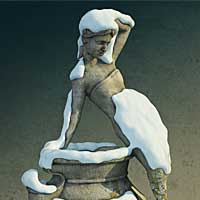
Procedural Snow


A new step by step tutorial by Cristian Pop (at CGTuts+) on creating snow cap over object using Particle Flow and Blob Mesh. It's probably very popular technique but worth to read it though.

Friday, February 4, 2011

Matrix Digital Rain Effect


Particle FX tutorial by 3Dknot team.

Friday, January 7, 2011

Scripting Particle Flow


As the motto of Orbaz Technologies Forum clearly said:
A place to talk about CG particles

Monday, November 29, 2010

Sculpting explosions with Thinking Particles


A video tutorial by Hristo Velev on how to sculpt explosions with Thinking Particles using external mesh to control particles speed.

Tuesday, November 23, 2010

Superflow Elements tutorial


New 40 minutes length tutorial released by Ian Clemmer on advanced techniques with Superflow Elements script, to create more rich motion graphics effects. The video show how to integrate the script with Particle Flow, plus some new tools in action which Ian added to the Superflow script recently.

Tuesday, October 19, 2010

Six ways to create condensation 2


Part 2 of Cristian Pop's tutorial is now online.
Here he show another 3 methods to create water drop effect using thinkingParticles, Max 2011's new Object Paint and fR Wet shader.
Link to Part 1.

Sunday, October 10, 2010

6 ways to create condensation effect


Tutorial (part 1) by Cristian Pop on creating condensation effects in 3DS Max. Now shows his first 3 methods - using Scatter, PArray and ParticleFlow.

Friday, September 24, 2010

Particle Flow forest by height plane


A video tutorial by Anselm von Seherr Thoss that cover usage of Particle Flow Data Operator.

Monday, August 30, 2010

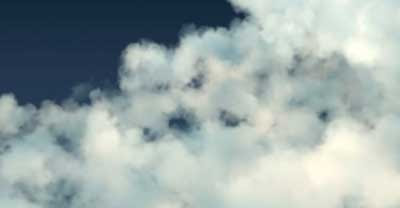
Create Clouds with PFlow


One of the recent tutorials at CGRats.com named "Create Realistic Clouds in 3DS Max" show how to create clouds using Particle Flow Source. I'm not sure why they call it "realistic"... maybe a lot of tweaking with the opacity map settings could rid as of this sharpen render result?... Also, this approach is a render time consuming.

Thursday, August 26, 2010

Visual Effects Tools for Architectural Visualization


Series of video tutorials by Louis Marcoux include:
  1. Rigid Bodies
  2. Constraints on rigid bodies
  3. Deformable bodies
  4. Advanced cloth setup and animation
  5. Static Particles
  6. Dynamic Particles
  7. Using Hair modifier for grass

Tuesday, August 24, 2010

Window Cracking with PFlow


A new video tutorial by Joe Gunn that start enticing but finish incomplete.
I learn nothing from Joe this time :/

Friday, August 13, 2010

Creating Grass with Particle Flow


A video tutorial shows 2 manners to create grass with Particle Flow - by filling objects surface or by using particle Birth Painter.

Base tips with getKnotPoint

At the forum topic into Area.Autodesk.com I see a question related to MAXScript function getKnotPoint which return the coordinate of knot in shape. The topic start with a birth script operator but is more closer to the getKnotPoint usage, which is come in use for any operations with shapes via MAXScripts. The birth script operator itself is a modified version of the old (but nice) Bobo's example that position each particle on a vertices of poly or mesh, and the modified version intended to do the same but on knot point of a shape. So, the getKnotPoint required 3 arguments - shape, spline index, knot index. That mean here needed double loop - for each knot in each spline. If the shape has only 1 spline like the Circle for example, then the single loop is enough --
c = Circle()
convertToSplineShape c
theKnots = for k = 1 to 4 collect (getKnotPoint c 1 k)

For a shape with more than 1 spline we need to know the number of the splines, which we get with numSplines function. Before make our double loop, I need to note that NumKnots function has a second argument which is optional, but is important for our case. If we not supply the second argument the NumKnots will return the number of all knots in the shape. But to write compatible with getKnotPoint loop, we need to get knots count per spline! So, lets see this with simple example using Donut (it has 2 splines with 4 knots on each of them):
dn = Donut()
convertToSplineShape dn
theKnots = #()
for Sp = 1 to (numSplines dn) do
for k = 1 to (NumKnots dn Sp) do
append theKnots (getKnotPoint dn Sp k)

And just for reference - here is how the mentioned birth operator w'd like:
on ChannelsUsed pCont do
(
pCont.useposition = true
pCont.useTime = true
)

on Init pCont do
(
global pflowguide = $guide
)

on Proceed pCont do
(
if pflowguide != undefined do
(
t = pCont.getTimeStart() as float
theKnots = #()

if t <= 0 do
(
for Sp = 1 to (numSplines pflowguide) do
for k = 1 to (NumKnots pflowguide Sp) do
append theKnots (getKnotPoint pflowguide Sp k)
for i = 1 to theKnots.count do
(
pCont.AddParticle()
pCont.particleIndex = pCont.NumParticles()
pCont.particleposition = theKnots[i]
)
)
)
)

Note that the script is written for an existing shape named "guide", that mean if you wish to use this script then (A) you need to rename your shape to "guide" or (B) you need to edit this line in the script:

global pflowguide = $guide


That's all. Cheers!

Friday, July 16, 2010

Assembly/Disassembly with Particle Flow


A tutorial by Sachin Joshi on assembling and disassembling non-fragmented objects with Particle Flow. Actually, the turotial is based on 2 scripts:

Thursday, July 1, 2010

Monday, June 28, 2010

PFlow tutorials


John Rand has posted at his site a few tutorials and scripts related to Particle Flow and Krakatoa.