
This tutorial will show you how to model a highly detailed basketball in 3D Studio Max using box modeling techniques. This tutorial is suitable for beginners but assume some basic knowledge.

Content (What we do):
[*] Starting with some simple boxes creation
[*] Adding a simple parametric animation (grow height)
[*] Testing and debugging
[*] optimizing the code
[*] check for technical trouble
[*] Adding ProBoolean to collapse all boxes to EditablePoly
(to reduce the number of polygons and objects)
[*] Adding MaxVersion() check (need for ProBoolean)
So here is the idea...
to make step pyramid from box primitive and animate it.
Note: This is not exactly "How To" tutorial, rather "walk-through" scripting procces, which will meet the most basic things in MAXScript.


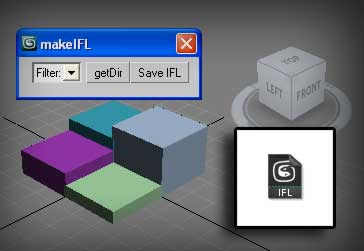
[*] Filter needed if for some reason the folder contains other file formats, thumbnail for example. Note - if filter not selected or if bitmap type not identical with the existing images, script will create empty IFL file.
 There is something trivial but useful from me.
 Download Link -- randomSity.ms

 Posts
All Comments
Posts
All Comments


