Pages

Monday, November 29, 2010

Script Password Protection


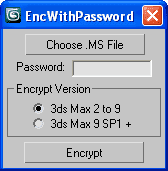
I spend a bit of time to wrote this script requested by Michele at ScriptSpot. I guess he need it to add license system to his scripts, nm, it is an open source, i.e. you can read the code and use it for free as you like it ;-)

Sculpting explosions with Thinking Particles


A video tutorial by Hristo Velev on how to sculpt explosions with Thinking Particles using external mesh to control particles speed.

Cabinet creator


Cabinet creator is a script that become very popular at ScriptSpot for a no time, and thats make me laugh :) Ok, am not want to be rude, but the folks which look for tools/plug-ins for whatsoever instead of learning how to do this with what they already have... am call them lazy slaves. Yes, the author of this script might deserve respect for the time he spend to wrote it, but ask yourself - are you need any tool or plugin to create a cabinet object in 3ds Max? This is a no time work if using Max's Doors and Windows primitives, and they are so intuitive so hardly ever necessary to read/watch any tutorials to work with them. Also Doors and Windows primitives has built-in mapping co-ordinates. Actually, the script use boolean operations, and that also is a quick task using boxes, but boolean ops break built-in mapping co-ordinates of the primitives. Also Max's Doors and Windows primitives are parametric objects (more flexible). So, if howsoever you need to own/write a Cabinet plug-in as parametric object take a look the excellent video tutorial by Borislav 'Bobo' Petrov. He guides you through the basics of scripted plug-in creation in 3ds Max, covering almost everything you need to know about to write nice scripted geometry plug-ins (incl. mapping, smoothing groups, segmentation, ...).
Sunday, November 28, 2010

Choose Renderer


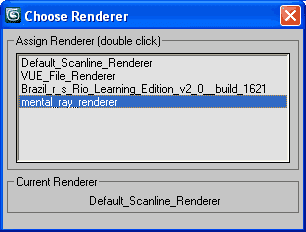
Choose Renderer is one of my recent mini scripts. It give you a quick/lazy access to assign (production) renderer. Instead of pressing F10 and scroll down, this bean script will list all available renderers to choose from.

Friday, November 26, 2010

Mocapdata

Mocapdata.com offers more than 4000 free motion data files, as well as paid content.

SplineSync demo videos


New test videos by Ian Clemmer shows possibilities of SplineSync and Superflow Elements scripts.

Tuesday, November 23, 2010

Containers benefits


A tutorial by Chris Murray from Autodesk on using containers to manage scene complexity.

Superflow Elements tutorial


New 40 minutes length tutorial released by Ian Clemmer on advanced techniques with Superflow Elements script, to create more rich motion graphics effects. The video show how to integrate the script with Particle Flow, plus some new tools in action which Ian added to the Superflow script recently.