if (test_roll != undefined) do
 if (test_roll.isdisplayed) do
  (destroyDialog test_roll)

rollout test_roll "testUI"
(
 fn objSelFilter obj = (superClassOf obj == geometryClass)
 label showme "" align:#left pos:[10, 10]
 pickbutton pbt_selObj "Select. objet" autoDisplay:true \
 pos:[10, 40] width:80 filter:objSelFilter

 on pbt_selObj picked obj do
 (
  if obj != undefined do
  (
   result = (At time (currentTime+1) obj.pos.x) \
   - (At time currentTime obj.pos.x)
   showme.text = result as string
  )
 )
)

createDialog test_roll 150 80
Friday, August 28, 2009
Display data in UI rollout
Today I found a question in the forum on the display of data in scripted UI rollout instead of print to Listener. This new to maxscript user just try some complicated and roundabout way but but this is normal in early. He want to display distance between next and previous frame and ask how to do that in scripted rollout. The answer is sample, just need to add UI controller that will display needed data. It can be edittextbox if we want to copy the result, or just a label controll. What is important here is that we need to convert our data to string. That's all. And there is an short example that I post to help:

Thursday, August 27, 2009
Bubbles

This is some old tutorial mades 2002 but it's a short and simple and come with complete .MAX scene file, also all textures included. You can find it for free on TurboSquid.com.
Monday, August 24, 2009
Select Vertex Loop 1.1
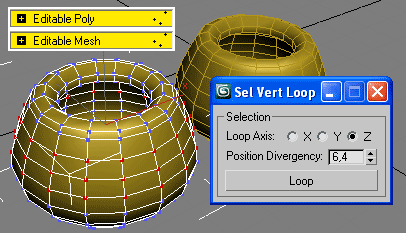
Extend 3ds Max selection features on Editable Mesh and Editable Poly.
Following comments in the ScriptSpot forum on my script Select Vertex Loop which I published there on 21 August, I decided to add any additional notes. And finally today I updated the script also to support object set, ie to works on selection of objects. Maybe this upgrade is a bit strange for me, but why not then someone finds this useful, right?
For more details and downloads the new version 1.1 (also and previous version 1.0) read my post on ScriptSpot.
Also you can see demo video out there or here are links to:
- YouTube video: http://www.youtube.com/watch?v=UWNGp1qJu0Q
- Yandex mirror: http://video.yandex.ru/users/project3d/view/44/
- Or get XviD copy from my home page: http://project3d.narod.ru/maxscripts.htm
Simultaneous Twist Bones and Stretchy Limbs
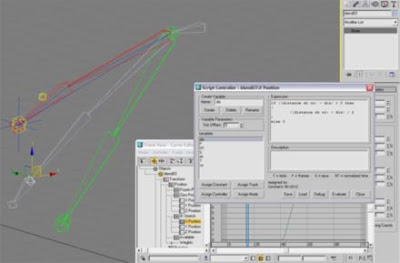
Mathieson Facer tutorial follow up Paul Neale IK/FK Arm video tutorial and Twist Bones video tutorial and extend the rig system to support stretchy limbs and twist bones in the same rig.
Note:
Tutorial used Jason Labbe's Stretchy Bones Tool (MaxScript) to create stretchy bones, but... this script is no more available for downloads there :(
Twist Bones
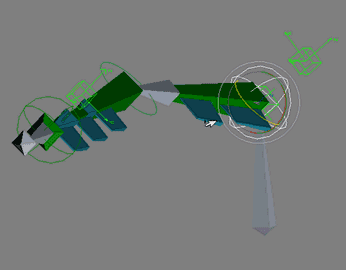
This Paul Neale tutorial explains the process of creating twist bones for an IK/FK blending arm system.
IK/FK Arm
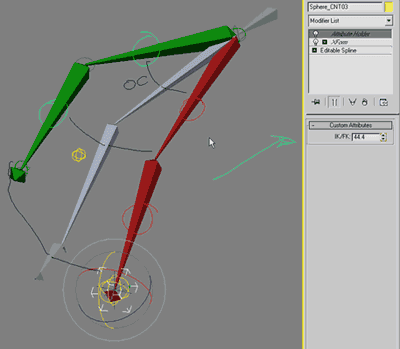
Paul Neale tutorial explains the process of creating an IK FK blending arm rig. There is also a follow up tutorial that covers the creation of twist bones using the expose transform helper.
Understanding Caustics

As the author said:
"This purpose of this lesson is to provide a very simplified explanation of caustics ..."
Read more here
Sunday, August 23, 2009

Subscribe to:
Posts (Atom)

 Posts
Posts


